Free account · Your properties, notes and photos · Kept
Your shortlist, plan and preferences in one place
Private to you, and holding the notes, photos and due diligence list for every property you are seriously considering. Still there in four months, when the one that got away comes back on the market.
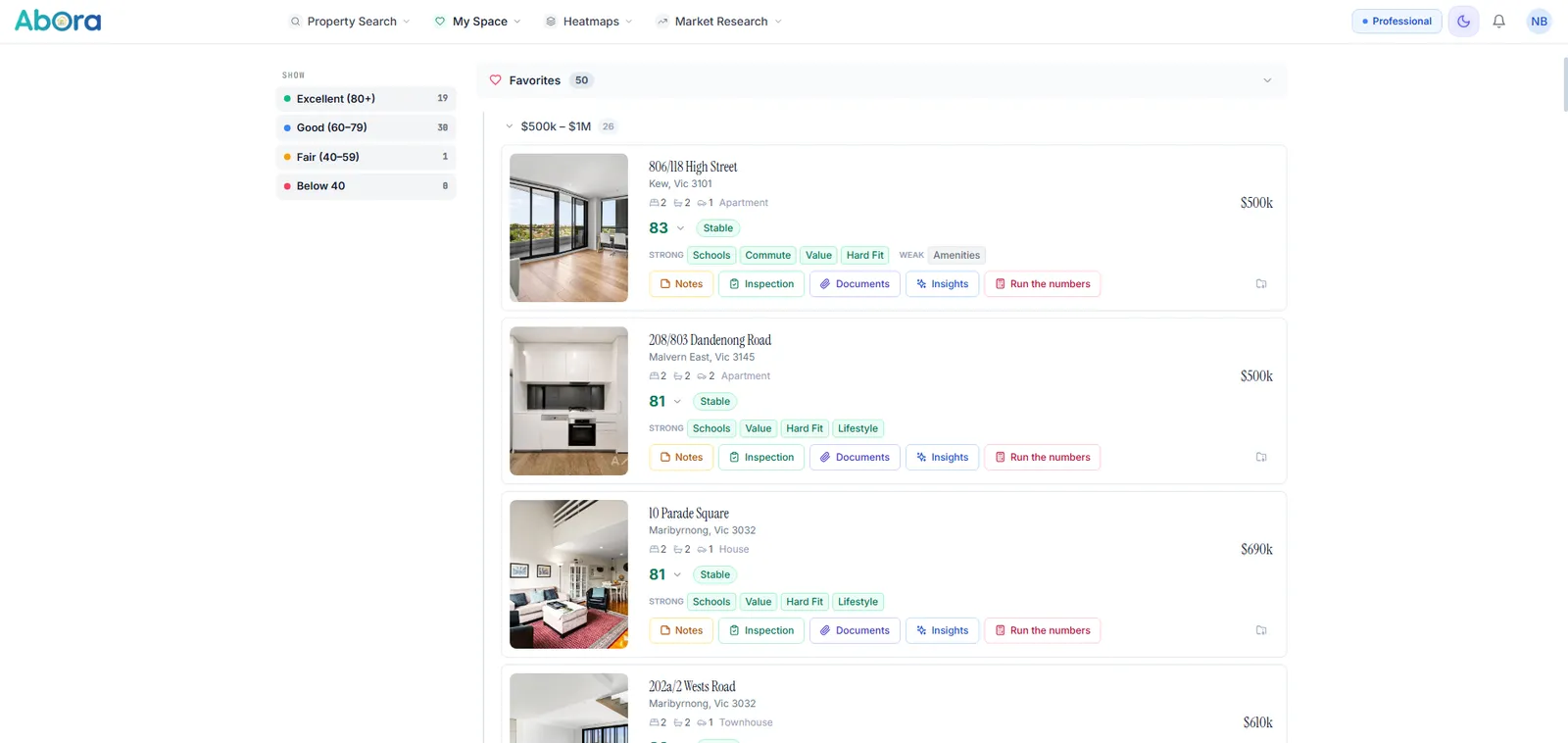
Your shortlist, grouped and sorted however you think about it — suburb, score, price or when you saved it.
- 4Views — shortlist, planner, profiles and hub
- 8Things stored against every property
- PhotosUploaded and filed against the address
- KeptSearches you can reload and re-run
Eight things it keeps for every property
Not bookmarks. A working file per address that survives the four months between the first inspection and the contract.
- NotesWhat you actually thoughtWritten properly, formatted, edited later. The thing you will have forgotten by the fourth Saturday.
- TagsYour own shorthandLabel properties however you think about them, then find them again that way.
- PhotosUpload as many as you likeShots from the inspection, pages of the building report, the agent's listing images, a photo of the switchboard. Uploaded against the address, not lost in a camera roll of nine hundred.
- Inspection notesWritten on the drivewaySeparate from your general notes, because what you noticed in the room is different from what you concluded afterwards.
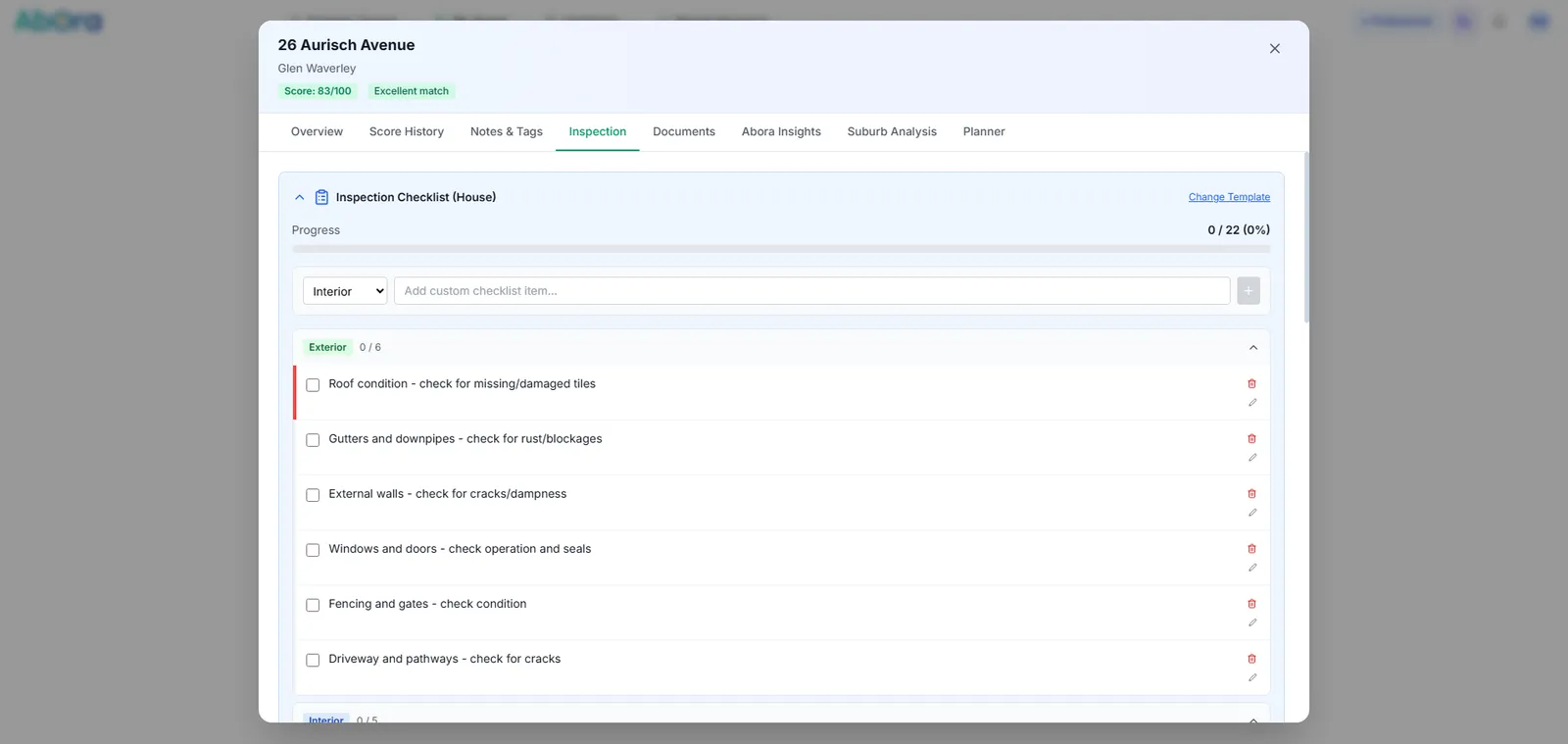
- Due diligenceThe list you work throughEvery check that has to happen before you commit, ticked off per property — so number nine gets the same scrutiny as number one, when you are tired and it is raining.
- DocumentsSection 32, floor plansFiled against the property rather than buried in an inbox thread with the agent.
- Your scoreYour rating, not oursScore it yourself and see it beside the calculated one. Where the two disagree is worth a second look.
- SummaryThe inspection, condensedEverything from the day pulled into one read, so you can compare Saturday to Saturday.
How it works
Saving a property, writing a note at an inspection, planning a Saturday.
3 min
The part that happens away from a screen
Two things decide whether a shortlist survives contact with reality: whether you can find the photo again, and whether you finished the checks.
Upload the photos while you still know which house they are
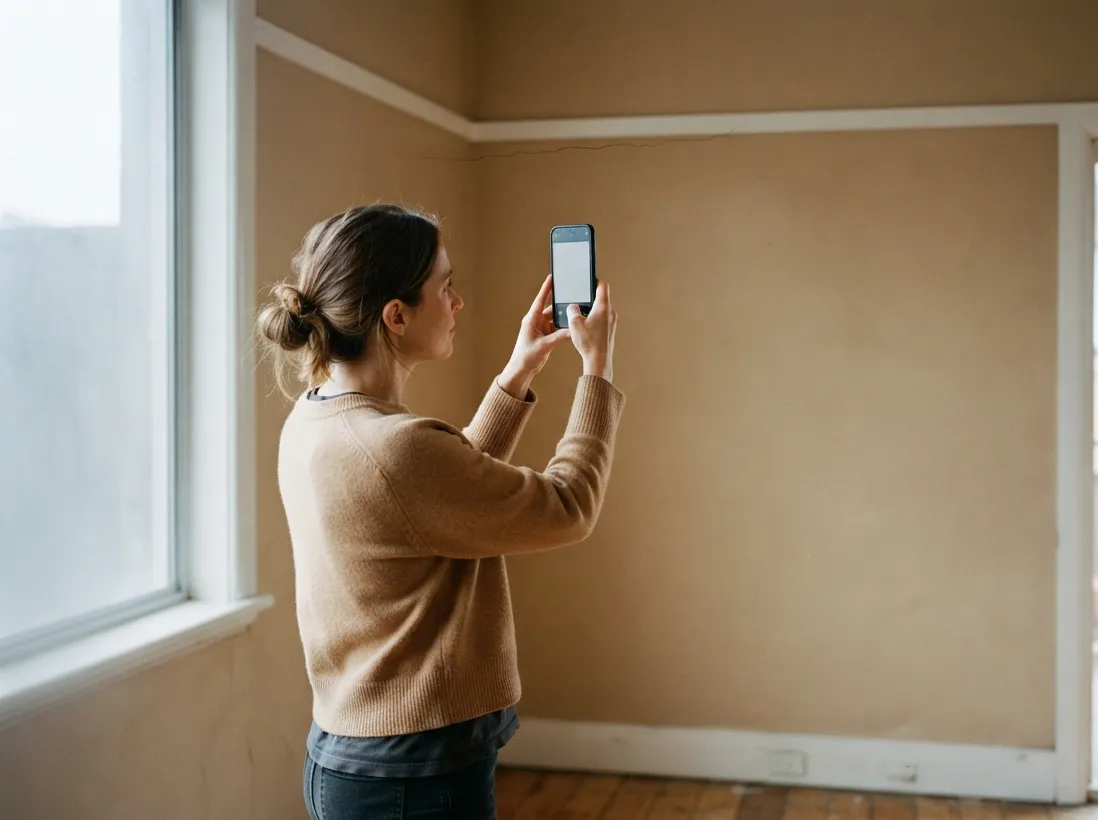
Nobody remembers which of four kitchens had the water stain. Upload the shots to the property — from your phone at the inspection, or later from the building report — and they sit next to the note you wrote about it.
- Upload from a phone on the day or a laptop that evening
- Filed with the note and the due diligence list from that visit
- Still there when you send the shortlist to a builder
A due diligence list you actually finish
Section 32 read, building and pest booked, easements checked, strata minutes requested, flood overlay confirmed. Twenty things, four properties, and no way to hold it in your head. The list runs per property and shows you what is still outstanding.
- The same checks on every property, ticked off individually
- Documents attached where they belong — Section 32, floor plans, reports
- What is still outstanding, visible before you bid rather than after

Four ways in
The same saved work, organised the way you happen to need it that day.
- ShortlistEverything you savedGrid or list, grouped by suburb, score, price, type or when you saved it.
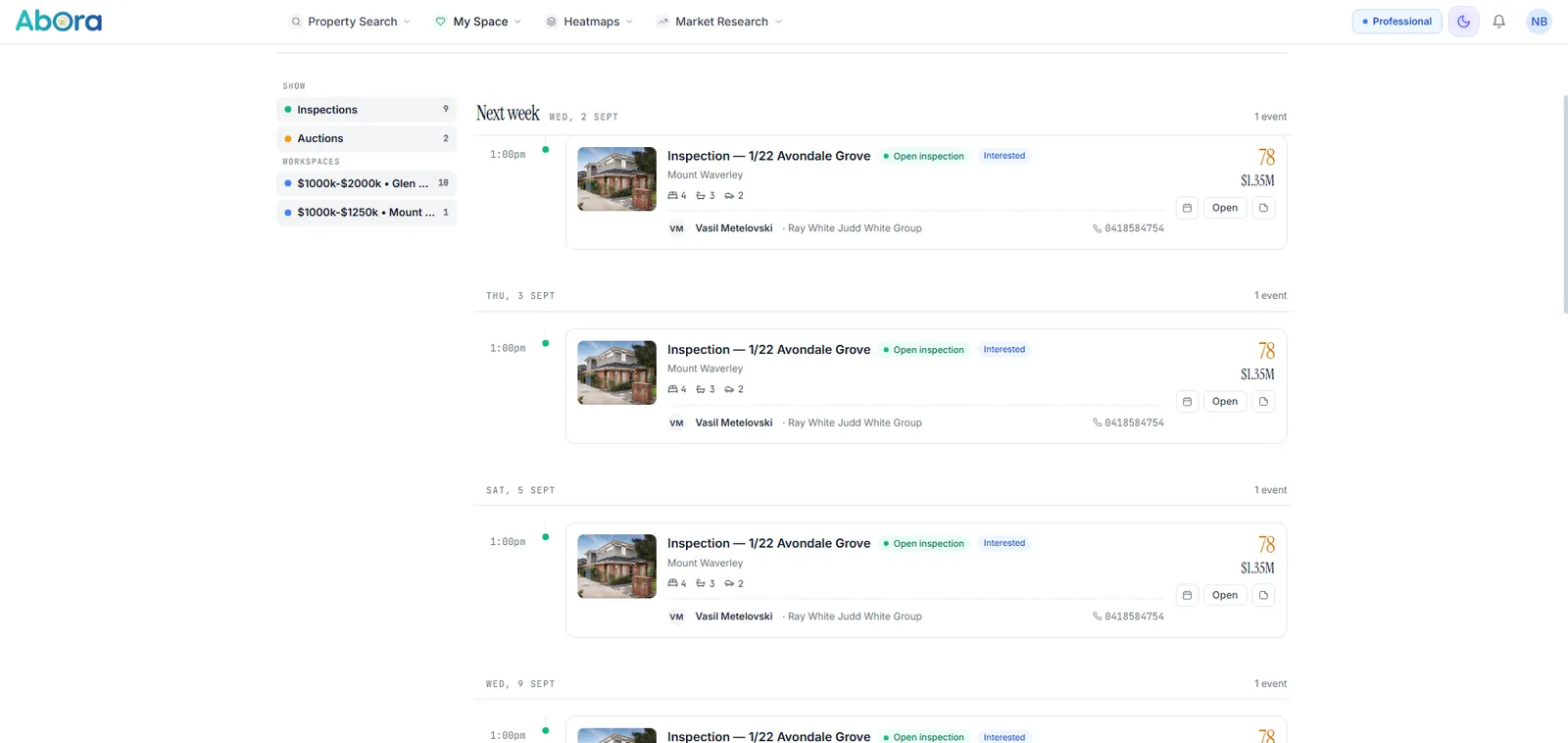
- PlannerInspections and auctionsOne timeline across every property you are tracking, so a Saturday is a plan rather than five browser tabs.
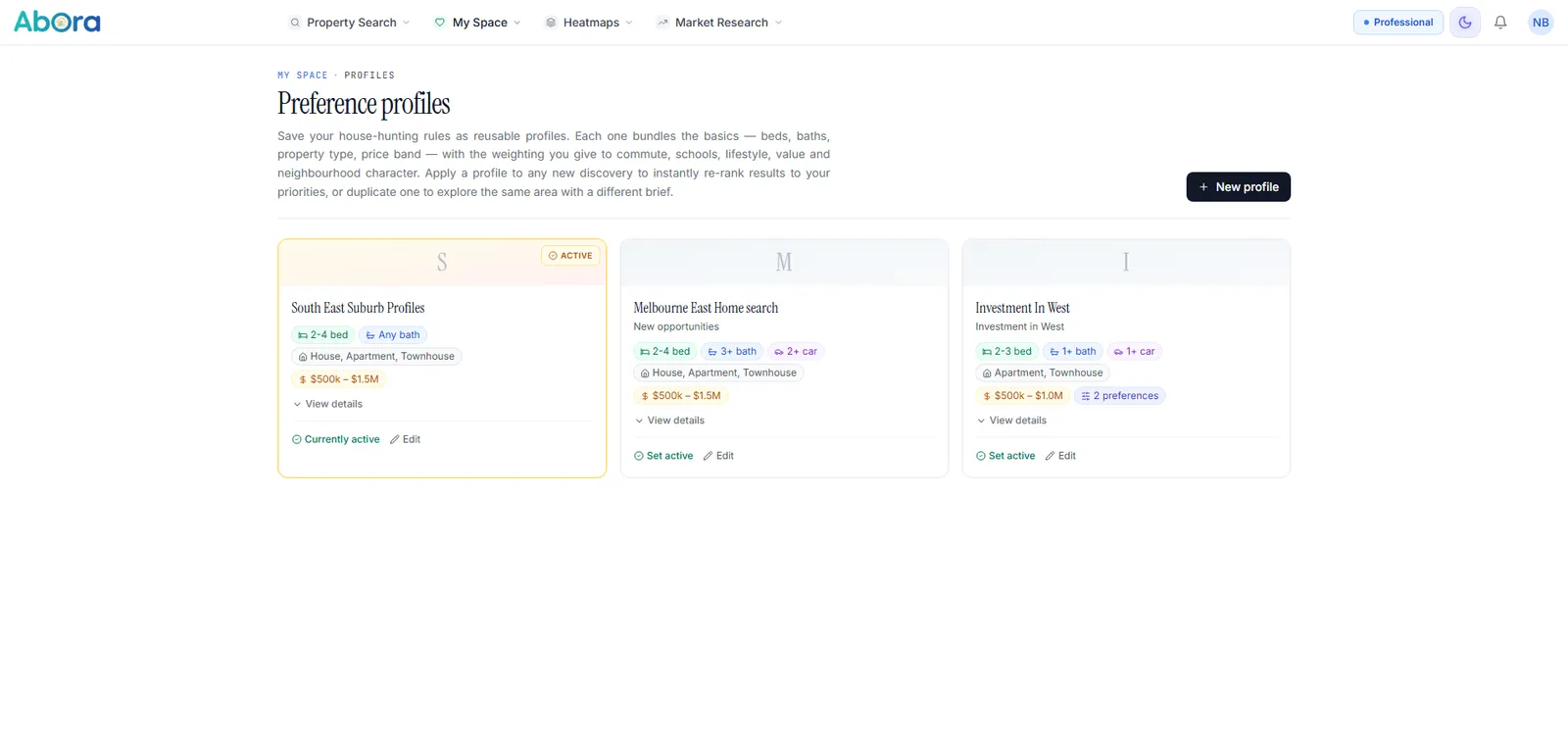
- ProfilesWhat matters, weighted and savedYour budget, commute anchors and how much each preference counts — set once, reused on every search. Keep one for the family home and another for an investment.
- HistoryEvery search you ranOpen an old search, change one thing, run it again. Your thinking from six weeks ago is still there.
Who uses it
- Anyone past their fourth inspection, when the houses have started blurring together.
- Couples splitting the weekend and comparing notes on Sunday night.
- Buyers who have been looking for months and are tired of a spreadsheet that never gets updated.
Start with a free account
Save properties, write notes, keep the photos. No card, no trial clock.
Already have an account? Sign in.
Common questions
Who can see my notes and photos?
Can I upload my own photos and documents?
Does anything expire?
What does it cost?
Can I use it at an inspection?
Is a saved inspection record enough due diligence?
Sources
Property data from Vicmap and ABS; listing details from the agent's own feed. Notes, tags, photos and documents are yours and are stored against your account only. How we handle data →
My Space stores research you create alongside published property data. Notes, photos and documents you upload are private to your account. Nothing here is financial, legal or building advice, and a personal inspection record is not a substitute for a professional building and pest inspection or a conveyancer's review of the contract of sale.